The fading art of SQL, and also your ORM is out to get you

Title partially stolen from Renegade Otter’s brilliant critique YOUR DATABASE SKILLS ARE NOT ‘GOOD TO HAVE’

In the past few years I have been noticing an unsettling trend – software engineers are eager to use exotic “planet-scale” databases for pretty rudimentary problems, while at the same time not having a good grasp of the very powerful relational database engine they are likely already using, let alone understanding the technology’s more advanced and useful capabilities. The SQL layer is buried so deep beneath libraries and too clever by a half ORMs that it all just becomes high-level code.

Andrei Taranchenko

SQL has been around long enough to get its AARP card. Is it ready for retirement? Not by a long shot. Andrei explains:

Serious, mission-critical systems have been running on classic and boring relational databases for decades, serving thousands of requests per second. These systems have become more advanced, more capable, and more relevant….it wasn’t that uncommon in the past to convert certain functions to assembly code in order to squeeze every bit of performance out of the processor. Now compute and storage is cheaper – it’s true – but abusing this abundance has trained us laziness and complacency. Suddenly, that Cloud bill is a wee too high, and heavens knows how much energy the world is burning by just running billions of auto-generated “Squeel” queries every second against mammoth database instances.

Just skimming through the table of contents of your database of choice…you will find an absolute treasure trove of features fit to handle everything but the most gruesome planet-scale computer science problems. Petabyte-sized Postgres boxes, replicated, are effortlessly running now as you are reading this.

The trick is to not expect your database or your ORM to read your mind…and ORMs will happily do the worst possible thing for you in terms of performance…The “just add more CPU and RAM if it’s slow” approach may have worked for a while, but many are finding out the hard way that this kind of laziness is not sustainable in a frugal business environment where costs matter.

It is fairly easy to make a beefy Postgres or a MySQL database grind to a halt if you expect it to do magic without any extra work. “It’s not web-scale, boss. Our 2 million records seem to be too much of a lift. We need DynamoDB, Kafka, and event sourcing!”

A relational database is not some antiquated technology that only us tech fossils choose to be experts in, a thing that can be waved off like an annoying insect...In legal speak, a modern RDBMS is innocent until proven guilty, and the burden of proof should be extremely high – and almost entirely on you.

AMEN. I can’t add much to this, except to offer a theory on why ORMs can get otherwise competent developers into trouble so easily. ORMs abstract away database operations and present them as modular and object-oriented. In reality, they are anything but. Once again, legacy == proven, and you’re always better off making sure you’re getting the most out of your current technology before you add something new and trendy (read: risky) to your application.

“There is nothing wrong with a monolith”

Renegade Otter serves up an entire buffet of charbroiled sacred cows in Death by a Thousand Microservices. If you need to actually deliver a working software product, it is a masterclass in avoiding the Silicon valley cargo cult of needless complexity. It hits all the major rules of the ‘Lair and then some, its like he’s been reading my diary.

The truth is that most companies will never reach the massive size that will actually require building a true distribute system. Your cos playing Amazon and Google – without their scale, expertise, and endless resources – is very likely just an egregious waste of money and time. Religiously following all the steps from an article called “Ten morning habits of very successful people” is not going to make you a billionaire.

The only thing harder than a distributed system is a BAD distributed system.

Pairs well with:

…and especially I’m Going To Scale My Foot Up Your Ass, which includes this absolute gem

Scalability is not your problem, getting people to give a shit is.

Every bug you fix creates two more – Azure fire edition

A recent Azure DevOps outage highlights a number of ways well-meaning engineers shoot themselves in the foot.

Background
Azure DevOps engineers sometimes need to take a point-in-time snapshot of a production database to investigate customer escalations or evaluate potential performance improvements. To ensure these snapshot databases get cleaned up, a background job runs every day and deletes them once they pass a certain age.

What triggered the outage?
During Sprint 222, we upgraded our code base to replace the deprecated Microsoft.Azure.Managment.* packages with the supported Azure.ResourceManager.* NuGet packages. This resulted in a large pull request of mechanical changes swapping out API calls. Hidden within this pull request was a typo bug in the snapshot deletion job which swapped out a call to delete the Azure SQL Database to one that deletes the Azure SQL Server that hosts the database. The conditions under which this code is run are rare and were not well covered by our tests.

We deployed Sprint 222 using our Safe Deployment Practices (SDP) to Ring 0 (our internal Azure DevOps organization) where no snapshot databases existed and so the job did not execute. After multiple days in Ring 0, we next deployed to Ring 1 where the impacted South Brazil scale unit was located. A snapshot database was present old enough to trigger the bug, and when the job deleted the Azure SQL Server, it also deleted all seventeen production databases for the scale unit. Starting at that moment, the scale unit was unable to process any customer traffic.

So much to unpack here. Let’s take it from the top.

“we upgraded our code base to replace the deprecated Microsoft.Azure.Managment.* packages with the supported Azure.ResourceManager.* NuGet packages.”

Rule 18: “Naming stuff is hard” should be amended to include “Renaming stuff is fraught with peril”. There is something deeply ingrained in the developer psyche that compels them to stress out over the name of a thing. Up to a point this is beneficial because inconsistently applied and poorly thought out naming conventions cause all kinds of confusion and delay, and keeping it tight and internally consistent goes a long way towards making wrong code look wrong. But you run into diminishing returns pretty quickly, especially when you start renaming things that have been in production for a while like Microsoft is prone to do for, um, reasons. This bit my team recently when we tried to change from Microsoft.SqlServer.Smo to Microsoft.SqlServer.Management.Smo to be on the latest version. This act of well-intentioned zen garden raking from Microsoft forced all kinds of unpleasant and error-prone busywork on everyone downstream, as evidenced by…

This resulted in a large pull request of mechanical changes swapping out API calls. Hidden within this pull request was a typo bug in the snapshot deletion job which swapped out a call to delete the Azure SQL Database to one that deletes the Azure SQL Server that hosts the database.

Nobody really reviews large pull requests, not even Azure devops engineers, and any change spurred by a renamed MS NuGet package is going to be huge because it invariably pulls in other related or required libraries, and as an added bonus there will be breaking changes because MS changed method names and signatures while they were in there because of course they did. Anyone stuck reviewing it will skim a few files, say to themselves “well if anything is really wrong testing will catch it”, and hit approve.

The conditions under which this code is run are rare and were not well covered by our tests.

…or covered at all it seems. Oops. That’s a tough problem to solve because a team’s curated testing environment will almost never match the scale and complexity of production. I’m the last one to advocate for 100% unit test coverage but perhaps functions that delete databases should get extra scrutiny. Green means go, so…

We deployed Sprint 222 using our Safe Deployment Practices (SDP) to Ring 0 (our internal Azure DevOps organization) where no snapshot databases existed and so the job did not execute. After multiple days in Ring 0, we next deployed to Ring 1 where the impacted South Brazil scale unit was located. A snapshot database was present old enough to trigger the bug, and when the job deleted the Azure SQL Server, it also deleted all seventeen production databases for the scale unit.

At this point, an Azure Fire was well and truly lit. To their credit, they rolled out the change incrementally so we didn’t get a worldwide outage. I don’t know how many “rings” are in their Safe Deployment Practices, but it could have just as easily happened that there weren’t any snapshots in Ring 1 that would have triggered the deletion. How many people would have been affected had this not been found until Ring 2 or beyond? It took 10 hours to put the candle back just for Brazil (read the article to learn how many edge cases were involved in recovering). The team has since “created a new test for the snapshot deletion job which fully exercises the snapshot database delete scenario against real Azure resources”, so this exact failure is unlikely to happen again. I’m not sure what root cause was decided on, the article doesn’t say, but I’d like to humbly suggest it was Microsoft renaming stuff simply because they can.

Maybe source code rusts after all…

I’ve said it before, the biggest part of my job is just telling developers they can’t rewrite something. From the recommended reading list, Joel Spolsky lays down this timeless advice all the way back in 2000: rewriting from scratch is the single worst strategic mistake any software company can make. He cites how Netscape (browser) and Borland (desktop spreadsheet) threw away their market position to rewrite from scratch and never got it back.

Before Borland’s new spreadsheet for Windows shipped, Philippe Kahn, the colorful founder of Borland, was quoted a lot in the press bragging about how Quattro Pro would be much better than Microsoft Excel, because it was written from scratch. All new source code! As if source code rusted.

Fast forward to April 2023, and Camille Fournier is making all the same points in Avoiding the Rewrite Trap:

A common challenge for engineering leaders looks something like this:

The team they are managing is frustrated. They are struggling to ship features, and they complain that the issue is that the old systems are just too hard to work in. They are written in a legacy programming language that no one likes, the original builders made bad architectural choices that just won’t scale, or everything is just far too brittle and every change takes too long to test and still fails half the time. The only solution is, therefore, to rewrite the system from scratch. Using the newest and greatest language, architecture, and infrastructure, of course.

It’s a trap.

I once joined a team that had done a hack week to try to rewrite the old codebase from crufty php into Java. I was told that they had gotten a huge part of the way there, and it would only take a few more months before they could retire the old system completely. Hahahahahaha.

Ahh, the mirthless laughter of the damned.

Is it ever ok to rewrite from scratch? Camille’s advice is sound: “Avoid the trap: don’t go into this exercise unless it is the only way forward, and if you absolutely must, plan accordingly.” So, how do you know if you absolutely must? Its worth noting that Joel and Camille are talking about desktop and server-side software. Those languages tend to have very long, stable shelf lives in the precise same way that web development frameworks do not, which brings us to The Brutal Lifecycle of JavaScript Frameworks:

JavaScript UI frameworks and libraries work in cycles. Every six months or so, a new one pops up, claiming that it has revolutionized UI development. Thousands of developers adopt it into their new projects, blog posts are written, Stack Overflow questions are asked and answered, and then a newer (and even more revolutionary) framework pops up to usurp the throne…These lifecycles only last a couple of years.

Witness the meteoric rise of vue.js from the same article from 2018:

And today, from stackoverflow insights:

The bottom line: when you pick a “modern” web development framework, there is no guarantee it’s going to be around in 5 or even 2 years. I’ve got a pretty high tolerance for running “outdated” code on the server or desktop side, but I’ve begrudgingly come to realize that the public internet is more corrosive than the atmosphere of Venus when it comes to web UI. It really does rust. This is mostly because the frameworks are really just a garbage pile of references to other buggy and unsupported JavaScript libraries, bugs, and security vulnerabilities holding hands. This sends you on an endless spiral of updating to the latest version of every thing, every month, to fix the bugs introduced in last month’s update. Eventually, the library falls so far out of favor that the creator and maintainers abandon it, at which point you are well and truly screwed.

Your app will get to the point where it won’t pass a penetration test, and you will be left with no choice but to painfully rewrite entire sections of it. This “parody” is all too real:

As our good friend Capn’ Quacks says, JavaScript is Dirt. Hell.js indeed.

Even cloud providers can’t afford to run in the cloud at scale

“The move from a distributed microservices architecture to a monolith application helped achieve higher scale, resilience, and reduce costs” – Prime Video Tech Blog

A surprisingly forthright statement on the cost of cloud computing and the frenzied drive to microservice all the things, from Amazon no less. The headline really says it all, but let’s keep digging. They are discussing an automated video streaming quality control service.

We designed our initial solution as a distributed system using serverless components, which was a good choice for building the service quickly. In theory, this would allow us to scale each service component independently (but) the overall cost of all the building blocks was too high to accept the solution at a large scale…The two most expensive operations in terms of cost were the orchestration workflow and when data passed between distributed components…We realized that distributed approach wasn’t bringing a lot of benefits in our specific use case, so we packed all of the components into a single process…Moving our service to a monolith reduced our infrastructure cost by over 90%. It also increased our scaling capabilities.

Emphasis mine.

There is no free lunch. Doubly so in the cloud. It’s great for small projects just starting out that don’t want to manage their own infrastructure. It works well for production environments with small, predictable traffic or wildly unpredictable traffic. But if you need all the power all the time, you’re going to pay dearly for it. This also reminds us that cloud services eventually have to run on an actual computer, and moving data between processes is expensive (both time and money, especially the way AWS nickels and dimes you for every byte you move) no matter how many layers of abstraction you stack on top.

If your “hack” has been running in production for years, was it really a hack?

I can’t tell if developers are idealistic pessimists or pessimistic idealists. The most common manifestation of this paradox? Apologizing for delivering working software. The idea that one could have done a better job if only they had more time is admirable, even tragic sometimes, but should we really be so hard on ourselves? Useless Dev Blog takes a refreshingly honest look at this phenomenon in Stop lying to yourself – you will never “fix it later”

Recently I approved a pull request from a colleague, that had the following description: “That’s a hacky way of doing this, but I don’t have time today to come up with a better implementation”.
It got me thinking about when this “hack” might be fixed.
I could recall many times when I, or my colleagues, shipped code that we were not completely happy with (from a maintainability / quality / cleanliness aspect, sub-par functionality, inferior user experience etc.).
On the other hand, I could recall far far fewer times where we went back and fixed those things.

So, we realise that if we don’t fix something right away, we’re likely to never fix it. So what? why is that important?

Because it allows us to make informed decisions. Up until now, we thought that our choice was “either fix it now, or defer it to some point in the future”.
Now we can state our options more truthfully – “either fix it now, or be OK with it never being fixed”. That’s a whole new conversation. One which is much more realistic.

Emphasis mine, and emphasized because it gets right to the heart of the fundamental conflict driving all software development compromises, aka Rule 9:

Later == never, temporary == forever, shipped > not shipped

Rule 9

Well, it gets to 2/3rd of it at least. The author argues convincingly that if the code is “bad” you have a very short window to make it “good”, because once new features start relying on it you’re stuck with it forever. I agree, but there is another factor missing from the author’s calculus – is the presumptively bad code worth fixing? From the Old Testament:

As a software developer, fixing bugs is a good thing. Right? Isn’t it always a good thing?

No!

Fixing bugs is only important when the value of having the bug fixed exceeds the cost of the fixing it.

Joel Spolsky, Hard-assed Bug Fixin’

Joel is talking about bugs, but since presumptively bad code is just a bug that hasn’t hatched yet it applies here as well. He’s also talking about value in terms of money, but that’s really just another way of saying time. Time blows the referee whistle in the 3rd part of Rule 9, shipped > not shipped. In the quantum flux of unfinished code, all possible outcomes exist simultaneously until a deadline forces them to collapse into one pull request. Sure, it could have been perfect given enough time, but if your product has to actually sell and serve customers there is a point on every new feature or fix where good enough will have to do. I’ll take someone’s working hack over their hypothetically better solution that doesn’t exist every time.

To Scale! The cause of, and solution to, all of (startup) life’s problems

Jason Cole slices off a steaming slab of ribeye from my favorite startup false idol – the obsession with scale.

The moment that you create a solution, whether it’s a piece of software or a business process, you start to feel pressure to optimize it…this urge to prematurely scale is almost entirely fear-based, a fear that’s ironically fed by a startup’s intense desire to succeed…In our quest to reduce risk, we add the two things our growing company doesn’t need: weight and inertia…Every moment is precious to a startup. The time and money that you spend overbuilding could be invested in growing your customer base and refining your products…The young company that constantly asks, “but will it scale?” rarely gets the chance to find out.

Who Cares if it Scales?

The solution? Commit to learning instead.

A learning organization doesn’t worry about scale because it knows that it will get there when it needs to… it recognizes that agility and adaptability defeat complexity every time. Standardization and locked-down processes — “This is how we do it here” — are the enemies of learning and optimization, so hold them at bay forever if possible. Make learning and experimentation your standard process instead.

Eric Ries said as much in 2011:

Failure is a prerequisite to learning… If you are building the wrong thing, optimizing the product or its marketing will not yield significant results.”

The Lean Startup, p154

But even before that, Ted Dziubia gave the tl;dr version of it back in 2008: “Scalability is not your problem, getting people to give a shit is.”

Solve the problems you actually have today, because in a startup you’re not promised tomorrow.

Never miss a pull request with this one easy trick!

Like all high-functioning dev teams with a modicum of self-awareness, we thrive on gallows humor and existential dread. No wonder we’ve adopted the this is fine dog for our mascot.

I was searching for the original image source when, to my immense surprise and delight:

A This Is Fine dumpster fire vinyl figure that I can buy?! Shut up and take my money. I did and they did. 2 days later…

I’m flattered Cap’n Quacks thinks I could pull that off, but I’m a home automation luddite and I plan to die that way. There’s probably a million smart LED light options that would have worked, but after 5 minutes of looking my eyes glazeth over, so I went old school instead. Here is the laziest pull-request activated signal light that I could come up with.

Hardware:

  • 100% Soft This is Fine Dumpster Fire Vinyl Figure – I bought mine from Amazon.
  • A smart electrical outlet that supports IFTT (If This Then That) automation. I bought the Etekcity ESW10-USA, also from Amazon.
  • A lamp cord with an E12 candelabra socket from the friendly neighborhood big-box hardware store. I found it by the ceiling fan repair parts.
  • The lowest wattage LED bulb you can find. DO NOT use an incandescent bulb, no matter how low the wattage, it will melt the vinyl. I found that out the hard way.

Next, drill, cut, or gnaw a lightbulb-sized hole into the back of the vinyl figure. It should be just wide enough that the bulb slides in with a little resistance and doesn’t fall out.

Screw the bulb into the socket/cord, plug it in, and make sure everything works (the first socket/cord combo I bought didn’t). Now it’s time to set up the smart socket.

Socket to me

Install the VeSync app on your mobile device, create an account, plug in and turn on the smart socket, follow the instructions to activate the device, update firmware, and name it. Test turning the socket on and off through the app. Here’s how mine looked after setup:

Don’t worry about that other outlet

Automate

The printed instructions that come with the sockets include a QR code link to the full users manual, but mine just led to a dead page. Fishing around on the Etekcity support site I found the manual for a similar model. It was close enough. Search for “IFTTT” (If This Then That) in the manual to get right to the good stuff. Naturally, you will need to create an IFTTT account. I followed the guide to install the IFTTT app on my mobile device and pair the outlet, but after that I much preferred using IFTTT website on the desktop to finish setting up the automation.

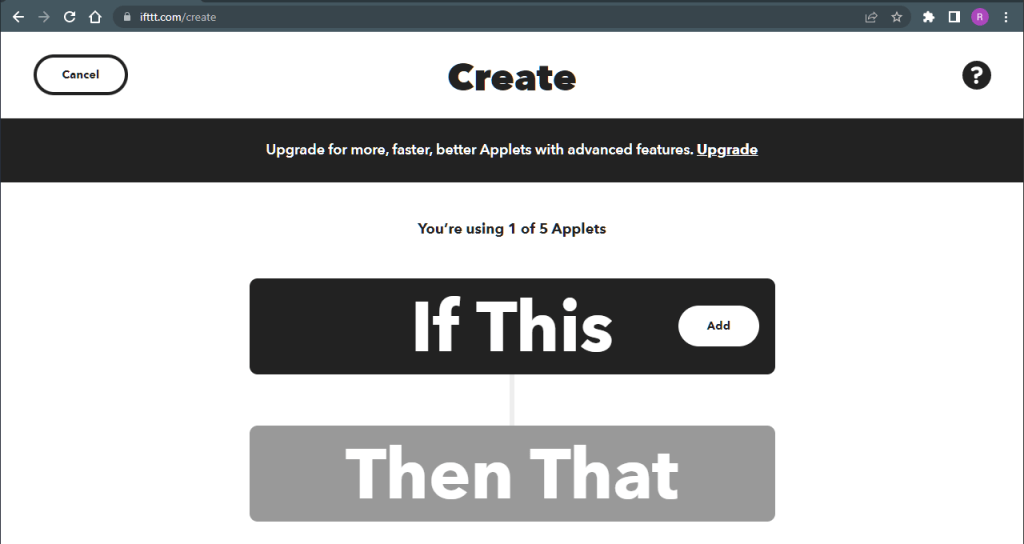
IFTTT has a selection of pre-made GitHub integrations, none of which do the thing I wanted, so I created this one from scratch. Be advised at some point in this process you will be prompted for your GitHub credentials. I forget which step. While logged in to IFTTT, click the create button at the top from any page:

Click Create
Click Add
Choose the GitHub service
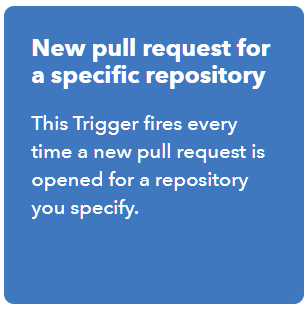
Choose the “New pull request for a specific repository” trigger
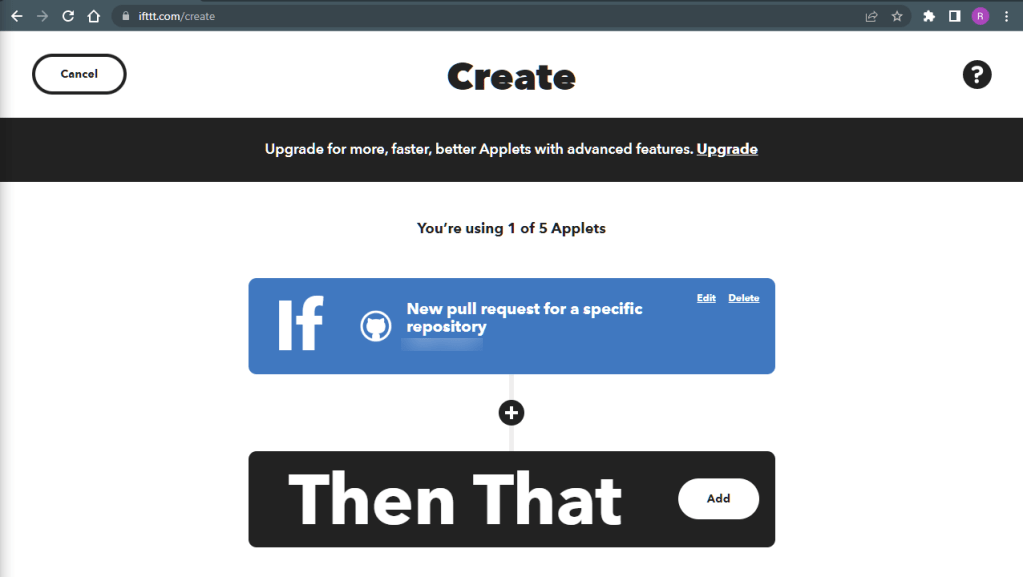
Enter/select your GitHub account and repository name, and click Create Trigger

At this point you may get an error about accessing the repository. I got several. After a while I got an email from GitHub.

Follow the link and configure it to allow repository access. Mine looked like this when I was done:

Got back to IFTTT to finish creating the applet.

Click Add
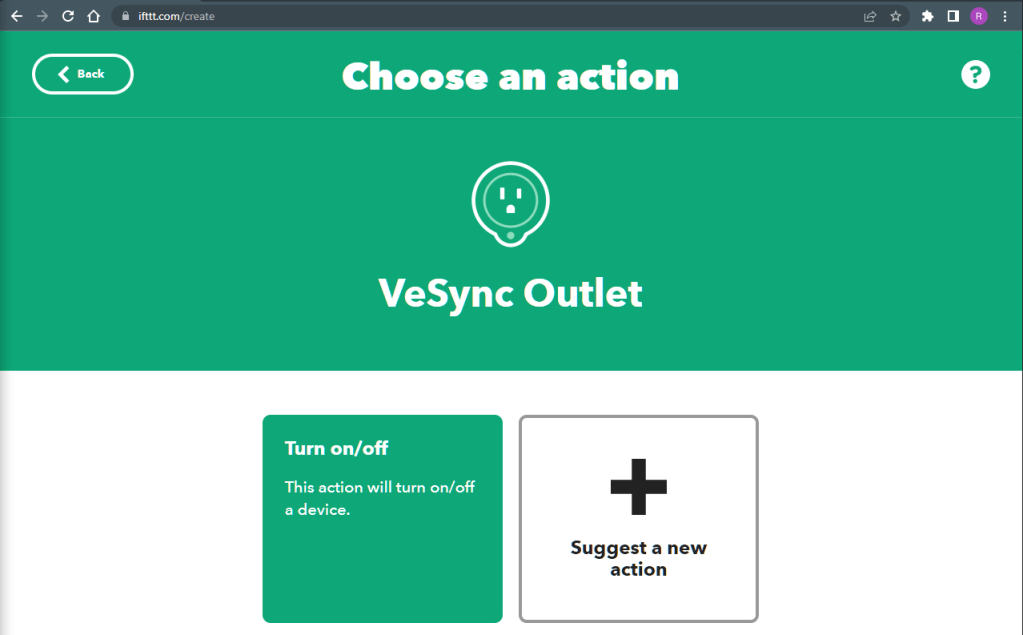
Search for the VeSync service and select VeSync outlet
Click Turn on/off, mostly because it’s the only option
Configure your action fields thusly and click Create action
Click continue
Click Finish
The completed applet

The beacons are lit!

Get your pull request on, and…maybe immediately, maybe eventually, the trigger will fire and light your dumpster fire.

Inaudible – the mirthless laughter of the damned

Room for improvement

This was a lot of fun to put together, but there is more I wish it could do. I wish it would turn off by itself, but there is no way to do that on the free tier of IFTTT. I wish I could make it light with different intensity and color for different events, but that would take a more advanced LED setup. Finally, I wish it was more responsive to GitHub events, but it uses polling instead of web hooks or push notifications. Maybe that is supported for the paid tier as well. But for now, I’m very pleased.